
Download Unbody – Secure AI Integration, Private Data, Low‑Code Chatbots
Overview
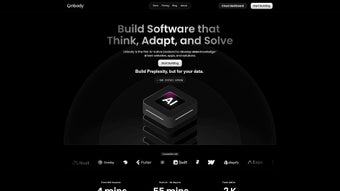
Unbody is a subscription‑based web application that brings the power of artificial intelligence to businesses without forcing them to expose or relocate their sensitive data. Built around the principle of “data stays where it belongs,” Unbody connects directly to private data stores—Google Drive, Microsoft SharePoint, Slack, Discord, and many more—while exposing AI capabilities through a single, secure GraphQL endpoint or lightweight SDKs. The platform abstracts the traditionally complex data‑pipeline setup, allowing non‑technical users to launch AI‑driven chatbots, semantic search engines, and custom assistants with just a line of code.
By supporting a wide range of AI models—from OpenAI’s GPT‑4 to open‑source LLMs—Unbody lets organizations pick the best fit for cost, performance, or compliance. The subscription model includes regular updates, security patches, and a growing library of pre‑built connectors, making it a future‑proof choice for companies that need to innovate quickly while keeping data governance tight. Whether you’re a startup looking to add a conversational layer to your product or an enterprise aiming to empower knowledge workers with AI‑enhanced search, Unbody offers a streamlined, low‑code pathway to embed intelligence directly into your existing workflow.
In addition to the core features, Unbody provides detailed audit logs, role‑based access controls, and GDPR‑compliant data handling, ensuring that security teams can monitor every request. The service also offers a free trial period, allowing potential customers to evaluate performance and compatibility before committing to a paid tier. Overall, Unbody positions itself as a bridge between secure data environments and the fast‑evolving world of generative AI, delivering a balanced mix of flexibility, scalability, and compliance.
Key Features and Benefits
- Zero‑Copy Data Access: Connect to source systems without moving files; Unbody reads data in‑place, preserving encryption and access controls.
- One‑Line Integration: A single line of code or GraphQL query is enough to activate AI features, drastically reducing development time.
- Multi‑Model Support: Choose from GPT‑4, Claude, Llama, or on‑premise models; switch models on the fly without changing your code.
- Rich Connector Library: Native integrations for Google Drive, Microsoft SharePoint, Dropbox, Slack, Discord, PostgreSQL, MySQL, and custom REST APIs.
- Semantic Search & Chatbots: Build AI‑powered search experiences and conversational agents that understand context across documents.
- Secure Subscription Model: Regular security updates, role‑based access, audit logs, and GDPR‑compliant data handling.
- Developer‑Friendly SDKs: JavaScript, Python, and Go SDKs with full type definitions and example projects.
- Scalable Cloud Architecture: Auto‑scaling compute that matches request volume, ensuring low latency for real‑time interactions.
The benefits extend beyond the feature list. By keeping data at its source, Unbody eliminates costly data migration projects and reduces the attack surface, a critical advantage for regulated industries such as finance, healthcare, and legal services. The low‑code approach democratizes AI, letting product managers, analysts, and support staff prototype solutions without waiting for a full‑stack development cycle.
Moreover, the ability to swap AI models means you can experiment with cutting‑edge LLMs while retaining a fallback to an on‑premise model for sensitive workloads. For organizations with strict compliance requirements, Unbody’s audit logs and role‑based permissions provide the visibility needed for internal and external audits. The platform also supports fine‑grained cost control: each request returns token usage and estimated cost, enabling finance teams to track AI spend in real time.
In practice, teams have reported up to a 70 % reduction in time‑to‑value when building internal knowledge bases, and a noticeable boost in employee productivity because answers are delivered instantly through AI‑enhanced search. Whether you need a simple chatbot for FAQ automation or a complex semantic search across millions of PDFs, Unbody’s modular architecture scales to meet those demands while maintaining the security and governance that modern enterprises require.
Installation, Usage, and Compatibility
Getting Started in Minutes
Signing up for Unbody begins on the official website where you select a subscription tier that matches your data volume and required AI models. After payment, you receive an API key and access to the Unbody dashboard. The dashboard is where you configure data connectors: simply add your Google Drive, SharePoint, or custom endpoint credentials, and Unbody validates the connection with a secure OAuth handshake. No software needs to be installed on your local machine; everything runs in the cloud, which means updates are applied automatically without any user intervention.
One‑Line Code Sample
// JavaScript example using the Unbody SDK
import { UnbodyClient } from "unbody-sdk";

const client = new UnbodyClient({ apiKey: "YOUR_API_KEY" });

const response = await client.query({
  model: "gpt-4",
  prompt: "Summarize the latest quarterly report stored in Google Drive.",
  source: "google-drive://my-company/reports/q4.pdf"
});

console.log(response.text);
The snippet demonstrates how a single function call fetches a document from its original location, runs it through the selected AI model, and returns a concise summary—all without moving the file. For teams that prefer GraphQL, the equivalent query looks like this:
query {
  unbody(
    model: "gpt-4",
    prompt: "Extract key risks from the compliance handbook.",
    source: "sharepoint://legal/compliance.pdf"
  ) {
    text
    usage {
      tokens
      cost
    }
  }
}
Operating System Support
Because Unbody is a web‑based service accessed via HTTPS, it works on any modern operating system—Windows 10/11, macOS Monterey and later, Linux distributions, as well as mobile platforms such as Android 9+ and iOS 14+. The SDKs are cross‑platform, and the GraphQL endpoint can be called from any language that supports HTTP requests, making Unbody truly OS‑agnostic.
Best Practices for Secure Deployment
- Store your API key in a secret manager (e.g., AWS Secrets Manager, Azure Key Vault) rather than hard‑coding it.
- Enable role‑based access in the Unbody dashboard to restrict who can add or modify data connectors.
- Regularly rotate API keys every 90 days to align with security policies.
- Leverage Unbody’s built‑in audit logs to monitor data access patterns and detect anomalies.
- Configure network whitelisting so that only approved IP ranges can reach the GraphQL endpoint.
Following these steps ensures that you benefit from Unbody’s AI capabilities while maintaining the highest security standards expected by modern enterprises. The platform also provides a sandbox environment for testing new prompts or connector configurations without affecting production workloads, allowing teams to iterate safely.
Pros, Cons, FAQ, and Final Verdict
Pros
- Data never leaves its original location, preserving compliance.
- One‑line integration dramatically cuts development time.
- Supports multiple AI models and can switch between them seamlessly.
- Extensive connector library for popular cloud storage and collaboration tools.
- Cross‑platform SDKs and GraphQL API work on any OS.
- Transparent pricing with regular security updates.
- Detailed audit logs and role‑based access for strong governance.
- Token‑level cost reporting helps control AI spend.
Cons
- Subscription cost may be high for small startups with limited budgets.
- Advanced custom connectors require basic knowledge of OAuth or API authentication.
- Performance depends on external AI model latency; on‑premise models may need additional setup.
- Initial connector configuration can be time‑consuming for organizations with many disparate data sources.
- No on‑premise hosting option for the Unbody service itself, which some ultra‑regulated firms may require.
Frequently Asked Questions
Is my private data ever stored on Unbody’s servers?
No. Unbody reads data directly from your source system using secure, read‑only tokens. The content is streamed to the AI model for processing and is not persisted on Unbody’s infrastructure.
Which AI models can I use with Unbody?
Unbody supports OpenAI (GPT‑4, GPT‑3.5), Anthropic Claude, Meta Llama, and any OpenAI‑compatible self‑hosted model via a simple endpoint configuration.
Can I limit the scope of data that Unbody can access?
Yes. Access is controlled through the OAuth scopes you grant during connector setup, and you can further restrict access with role‑based permissions in the Unbody dashboard.
Do I need a developer to set up Unbody?
A technical person is helpful for initial connector configuration, but the platform is designed for low‑code use. Business users can start building chatbots and search experiences through the visual dashboard once the connections are in place.
What happens if I exceed my subscription’s token quota?
Requests will be throttled, and you’ll receive a clear error message indicating the quota limit. You can upgrade your plan instantly from the dashboard to obtain additional tokens.
Conclusion and Call to Action
Unbody stands out as a pragmatic bridge between private enterprise data and the exploding world of generative AI. By eliminating data movement, offering a single‑line integration, and supporting a wide range of AI models, it empowers teams to launch intelligent applications faster than ever while staying compliant. The subscription price reflects the value of continuous security updates and a robust connector ecosystem, making it a solid investment for medium to large organizations. If you’re ready to embed AI‑driven search or conversational agents without compromising data privacy, sign up for a free trial today and experience the seamless workflow that Unbody delivers.



.png)



